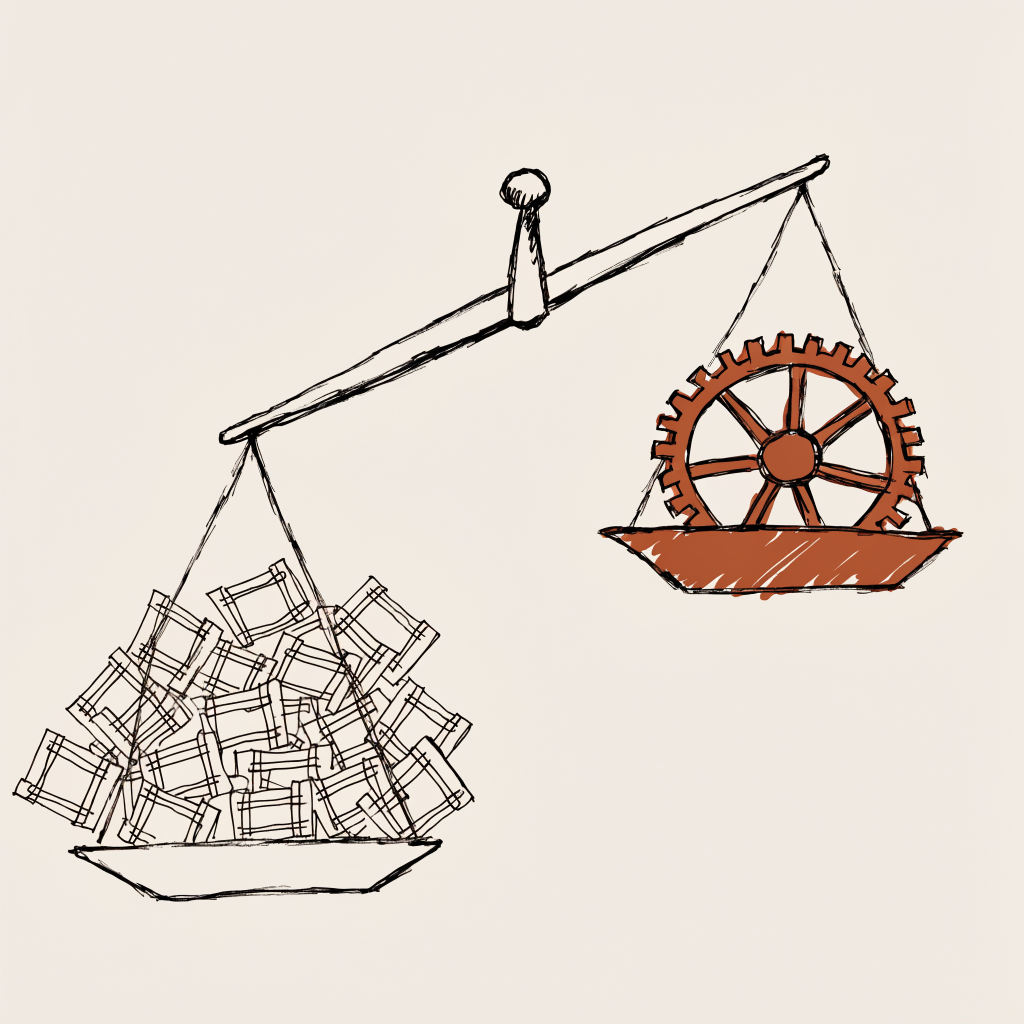
Here is the finding, up front. Across 6,442 production jobs and a formal benchmark of 197 runs over 19 models, swapping the model moved output quality roughly 37 times more than swapping the harness. The model you route to is the lever. The harness you wrap it in is not. The harness earns its keep on a different axis entirely: optionality, the freedom to move work between providers when one of them changes the rules on a Friday.
That benchmark, 197 runs across 19 models, is what the rest of this study unpacks: the cost-versus-quality scatter, the cases where a budget model at one sixty-sixth the price held 94% of the quality, and the places where premium pricing bought fabricated citations instead of rigor. But the data only mattered to me because of what happened the week I finished collecting it.
On a Friday afternoon, Anthropic sent an email to subscribers. Starting immediately, third-party harnesses, OpenClaw, OpenCode, anything not built by Anthropic, would no longer draw from subscription credits. Pay-per-token or get out. The next day, the company took 135,000 OpenClaw instances offline. Hacker News ran 400+ comments by Saturday morning. OpenClaw's creator called it anti-competitive. The angry crowd had a point: some of them were paying $200 a month for Max and running legitimate automation through OpenClaw, and that automation now costs $1,000 to $5,000 a month at API rates.
I read the thread over coffee, then checked my dashboard. 147 jobs had run overnight. Email triage, research tasks, a TikTok video render, two article reviews, a trading analysis. All on native Claude Code. All on my $200 Max subscription. Nothing changed. Nothing broke. If your harness is a wrapper around one provider, you are not running infrastructure, you are renting it.
The harness doesn't win the performance race. It wins the optionality race. That distinction is the point of this study.
That wasn't luck. That was eight months of architectural decisions paying off.
Why this matters beyond the drama
The surface story is about pricing. Anthropic couldn't sustain 135,000 OpenClaw instances burning $1,000 to $5,000 worth of compute each on $200 flat subscriptions. Boris Cherny, Head of Claude Code, said it plainly: "Third party services are not optimized in this way, so it's really hard for us to do sustainably."
But the real story is architectural. And it's been obvious for months to anyone running AI at production scale.
Third-party harnesses sit outside the provider's optimization path. They can't benefit from prompt caching the way native tools can. Claude Code's context management keeps warm caches that reduce token burn by roughly 50%. OpenClaw, polling every 30 seconds with cold-start cron jobs, burns through that budget blind. Cherny himself submitted PRs to OpenClaw to improve cache hit rates. Think about that. The Head of Claude Code was trying to fix someone else's harness because the waste was that bad.
The cache efficiency gap isn't a bug. It's a structural property of the architecture. And it's why I never went down that road.
What I built instead
My system is an orchestrator, a hub-and-spoke architecture where a central coordinator dispatches work to specialized workers running across multiple model backends. Not a wrapper around one model. Not a harness that pipes prompts through someone else's API. A production operating system for AI work.
46 days of production data:
| Metric | Number |
|---|---|
| Total jobs executed | 6,442 |
| Completion rate | 93.9% (6,051 succeeded) |
| Failed jobs | 258 (4%) |
| Active projects | 47 |
| Concurrent execution slots | 20 |
| Peak daily throughput | 370 jobs (March 28) |
| Average daily throughput | 209 jobs |
| Monthly cost | ~$205 |
| Cost per job | $0.032 |
That $205 breaks down simply. $200 for Claude Max (unlimited Opus 4.6, Sonnet 4.6, Haiku 4.5 via CLI). About $3 to $5 on OpenRouter for DeepSeek, Kimi, and free-tier models. A couple bucks on OpenAI for embeddings. Everything else is free tier.
The jobs aren't toy demos. Research papers, website deployments, email triage, algorithmic trading decisions, Reddit engagement, TikTok video production, article writing and review pipelines, and a hundred maintenance tasks that keep the system coherent without my involvement.
The architecture nobody talks about
Every AI demo shows the happy path. User types prompt, model returns answer, audience claps. Nobody shows what happens when you need to run 370 jobs in a day across multiple model providers while keeping costs under $7.
The core is a job queue backed by SQLite. Every piece of work becomes a row in a jobs table with 60+ columns tracking everything from token consumption to failure class to routing history. The engine ticks every 10 seconds, picks up pending work, routes it to the right backend, and handles whatever goes wrong.
const CAPACITY_DEFAULTS = {
  max_slots: 20,
  reserved_danny_slot: 1,
  token_budget_5min: 2_000_000,
  backpressure_queue_depth: 20,
  backpressure_token_pct: 0.8,
};
That reserved_danny_slot exists because I learned the hard way. On March 14, I tried to ask the system a question and got queued behind 19 running jobs. Ten minutes passed before I could interact with my own setup. Now one slot is always reserved for the operator. Production teaches you things that architecture diagrams never will.
Model routing
Not every task needs Opus. The system routes by tier:
Tier 3 (Brain):   Opus 4.6    - judgment, planning, complex code
Tier 2 (Worker):  Sonnet 4.6  - routine work, analysis, drafting
Tier 1 (Grunt):   Haiku 4.5   - status checks, triage, health pings
In practice, the distribution across 6,442 jobs lands where you'd expect. Opus handles 51.5% of them, the hard stuff, while Sonnet takes 21.9% of the bulk work and Haiku picks up 10.8% on the cheap scans. The remaining 16% routes to external models like GPT-4.1, Kimi K2.5, Google Gemini, and DeepSeek through OpenRouter or direct API calls.
The routing isn't static. A coding job starts on Opus. If Opus is rate-limited, it drops to Codex. If Codex chokes, it queues for retry with a cached backoff window. If the Anthropic API itself goes down, and it did, at 2 AM one night in March, the system waterfalls through OpenRouter to whatever's available.
That night, 23 jobs rerouted automatically. Three fell back to DeepSeek R1. One stubborn coding task cascaded all the way down to Mixtral before completing. I was asleep for all of it.
async function routeJob(job) {
  for (const backend of FALLBACK_CHAIN) {
    try {
      const response = await dispatch(backend, job);
      if (response.status === 429) {
        rateLimitCache.set(backend.name, response.headers['retry-after']);
        continue;
      }
      job.last_routed_via = backend.name;
      return response;
    } catch (err) {
      log.warn(`${backend.name} failed: ${err.message}`);
    }
  }
  throw new Error('All backends exhausted');
}
Cache the rate limit reset times. Don't retry blindly after a 429. Parse the header, store it, skip that backend until the window resets. This one change cut my failed-job rate from 8% to under 4%.
Worker lifecycle
Each job spawns a fresh claude -p session with context injected via --append-system-prompt. The worker gets a CLAUDE.md file that tells it who it is, what project it belongs to, where to write checkpoints, and how to report back. Workers don't talk to each other. They don't talk to me. They report to the orchestrator. That single-thread discipline is deliberate; Cognition's Don't Build Multi-Agents lays out why agents that gossip with each other tend to drift into conflicting actions, and a hub-and-spoke layout sidesteps that by keeping context flowing through one coordinator.
const claudeMdParts = [
  '# Job Context (compaction-proof)',
  `- **Job ID:** ${job.id}`,
  `- **Session:** ${sessionName} (${sessionId})`,
  `- **Workspace:** /home/node/.pennybot/workspace`,
  '',
  '## Checkpoint Directory',
  `All progress files go in: \`${jobDir}/\``,
  `- \`${jobDir}/progress.md\` - current state`,
  `- \`${jobDir}/step-N.md\` - per-step deliverables`,
];
This is the context engineering that makes native Claude Code work. Every worker session gets enough context to operate independently but not so much that it loses focus. The system prompt is the environment. The worker is the intelligence that emerges within it.
The benchmark that changed my mind about models
I ran a formal study across 197 coding and writing tasks to figure out which model I should route work to. What I found changed how I think about this entire system.
Sonnet matched Opus on coding
Across 10 coding tasks of varying difficulty, Sonnet 4.6 averaged 7.90/10 while Opus 4.6 averaged 8.14/10. Sonnet beat Opus on 4 tasks outright, tied on 2, lost on 4. On the LRU Cache implementation, a hard algorithms problem, Sonnet scored 9.15 to Opus's 9.0. The cheaper model won the harder task.
Free models failed completely
Qwen3 Coder, a free-tier model through OpenRouter, scored 1.0 across every task. Not low scores. Literally zero implementations produced. The model accepted the prompt, thought about it for three minutes, and returned nothing usable. Free isn't cheap when it produces nothing.
The premium writing tier told a different story
I tested five premium models on research design, blog writing, academic papers, and critical analysis. Simon Willison has been tracking this same gap between price and output across providers for over a year, and the spread held in my runs too:
| Model | Avg Score | Cost (5 tasks) | vs Claude Code |
|---|---|---|---|
| o4-mini | 8.28/10 | $0.10 | 102% of baseline |
| GPT-4.1 | 8.24/10 | $0.10 | 101% |
| DeepSeek R1 | 8.02/10 | $0.04 | 98% |
| Claude Sonnet 4.6 (OpenRouter) | 7.72/10 | $0.37 | 95% |
| Gemini 2.5 Pro | 7.36/10 | $0.29 | 90% |
DeepSeek R1 scored 9.90 on a blog post and 9.25 on a research pre-registration design. Those were the two highest individual scores in the entire study. Total cost for five tasks: four cents.
But Gemini 2.5 Pro, Google's flagship at $1.25/$10 per million tokens, scored 2.2 out of 10 on an IEEE paper. It fabricated every citation. Premium pricing does not mean premium academic rigor. My routing table now sends academic work to o4-mini, the only model in the study that avoided citation fabrication entirely.
The most expensive model tested wasn't the best. Claude Sonnet via OpenRouter cost $0.37 for five tasks, 3.8 times more than o4-mini, and scored half a point lower.
The real finding: the harness is the product
None of this benchmark data matters as much as one observation that keeps showing up in every study I've seen.
LangChain's coding agent jumped from 52.8% to 66.5% on Terminal Bench 2.0 by changing nothing but the execution environment. Same model. Same tasks. Different harness. The environment was the entire difference. Anthropic makes the same argument in Building Effective Agents: the gains come from the loop and the tooling you wrap around a model, not from the model swap alone.
I saw something similar in my own data. OpenClaw had 247,000 GitHub stars and 135,000 active instances. It solved a real problem. But the architecture was wrong for production in ways that compound over time. Three gaps did the damage.
No memory continuity
Every OpenClaw session starts cold. My system has three-tier memory instead: core memory that is always present (a 6KB identity file), semantic memory (LanceDB vectors scored across similarity, recency, importance, and frequency), and auto-captured episodic memory that persists across sessions. The principle is the one the 12-factor agents project calls owning your context window: what the model sees on every turn is a design decision, not a side effect of the chat history.
// Memory scoring formula
score = 0.45 * similarity
      + 0.25 * recency
      + 0.20 * importance
      + 0.10 * frequency
When a worker picks up a task, it knows what happened yesterday because the environment tells it.
No routing intelligence
OpenClaw talks to one provider. If that provider is down or rate-limited, you're stuck. My system routes across 12 job types and 8+ model providers with automatic fallback. The 2 AM Anthropic outage would have killed OpenClaw dead. For me, it was a log entry I read at breakfast.
No quality gates
OpenClaw trusts the model's output. My system doesn't trust anything that matters. Every significant piece of work goes through a second-pass review by a different model family, what Eugene Yan calls a guardrail and evaluator pattern in his survey of patterns for building reliably with LLMs. The model that wrote a draft is never the model that scores it.
Security
CVE-2026-25253, a critical remote code execution vulnerability rated CVSS 8.8, affected 135,000 OpenClaw instances on the public internet. About 12% of community-contributed skills on ClawHub were found to be malicious in a security audit. Native Claude Code runs in an isolated session with scoped permissions. No HTTP server exposed to the internet. No community plugins downloaded from strangers.
Three things that broke and what they taught me
Theory is cheap. Here's what the production system actually looked like when it failed.
The quality gate disaster (March 11)
Workers were closing tasks without second-pass reviews. The system was optimized for throughput, and throughput was winning over verification. A children's educational app went through the pipeline and shipped with grammar errors ("Here is airplane" instead of "Here is the airplane") and duplicate concept cards that nobody caught because nobody looked.
I caught it manually. Furious at my own system.
The fix was architectural, not prompting. I added a hard rule: no task gets marked done without a second-pass review by a different model family than the one that wrote the draft, and a test run with viewable output. Not a suggestion in the prompt. A gate in the engine that blocks the status transition.
That rule now catches roughly 15% of first-pass work that doesn't meet standard. The system is slower. The output is better. That trade-off is the whole job.
The OAuth chain reaction (March 11)
An OAuth token expired at 11:02 AM. Four consecutive Pulse jobs, the 30-minute maintenance cycle that handles email triage, status snapshots, and project advancement, failed with 401 auth errors. The system kept dispatching them because auth errors weren't in the failure taxonomy. It wasn't a rate limit. It wasn't a model failure. The existing categories simply didn't cover it.
By 12:35, the token auto-renewed and everything recovered. But for 93 minutes, maintenance was blind. No email checks, no health snapshots, no project advancement. Silent degradation.
What that taught me is that your failure taxonomy is never complete. Every new failure class that doesn't fit existing categories will cascade until you notice or it resolves itself. I added auth failures as a first-class type and built proactive token renewal checks.
The silent system (March 15)
Me, to my own system: "I feel like you should be updating me without me having to ask. What kind of results were you seeing? Shouldn't you be telling me that kind of stuff?"
The system was doing research. Running jobs. Producing results. And sitting on them. Everything worked technically. Nothing was being communicated. The system had become competent and silent, the AI equivalent of an employee who does solid work but never sends a status update.
This is the failure mode nobody warns you about. Not crashes. Not hallucinations. Silence. The system gets good enough to work autonomously and bad enough at communication that the operator loses trust.
I added proactive update rules to core memory so the system pushes progress on long-running projects and surfaces uncertainty early. Trust isn't a feature you ship once. It's a property you maintain through communication discipline, every day.
The economics were always clear
An OpenClaw instance running autonomously for one day consumes $1,000 to $5,000 in equivalent API costs. Under a $200 Max subscription, that was a 5 to 25x cost overrun per user. Anthropic was subsidizing this because subscriptions were designed for human-speed interaction, not autonomous agent loops polling every 30 seconds.
My system runs 209 jobs per day on average. Peak was 370. Total monthly cost: $205.
| Approach | Monthly Cost | Jobs/Month | Cost per Job |
|---|---|---|---|
| My system (native) | $205 | ~6,400 | $0.032 |
| OpenClaw on API (post-ban) | $1,000-5,000 | ~6,400 | $0.16-$0.78 |
| OpenClaw on Max (pre-ban) | $200 | ~6,400 | $0.031 |
Pre-ban, the costs looked similar on paper. But pre-ban OpenClaw was running on borrowed time, a pricing arbitrage that Anthropic was always going to close. Building production infrastructure on pricing arbitrage is a bet that the house won't notice. The house always notices.
What comes next
The third-party harness era is over. Not just for Claude. OpenAI, Google, and every other provider will make similar moves as autonomous agent workflows consume orders of magnitude more compute than human-speed usage. The economics don't work any other way.
What replaces it isn't a better harness. It's a different architecture.
Build on the native platform for your primary provider. Use direct API integrations for fallback and specialized routing. No intermediary layer that can be killed by a policy change you learn about on a Friday afternoon.
Memory as infrastructure, not conversation history. Vectors, composite scoring, decay functions. The system that remembers what happened yesterday makes fundamentally different decisions than the one starting fresh every session.
Quality gates as load-bearing walls. Second-pass review by a different model family. Score thresholds with automatic revision queuing. When you're running hundreds of jobs autonomously, the maker-checker pattern is what keeps the output trustworthy.
The people who build these systems now, while the Hacker News thread is still arguing about whether the ban was fair, will have a structural advantage that compounds monthly. Not because they picked the right vendor. Because they built the right architecture.
I've been operating mine for 46 days, 6,442 jobs, and $205 a month. The harness ban didn't touch it because there was nothing to touch.